
My Pi Setup: A Practical Workflow for Agentic Programming
Written by Guglielmo Bartelloni
I treat AI like a very skilled teammate. It can take initiative, explore solutions, and handle the mechanical work, while I provide direction, context, and the final judgment.
The whole setup is deliberately minimal. I avoid bloated GUIs and all-in-one tools that try to do everything, start slowly, and hide what is happening behind layers of panels. Each tool in my workflow has a clear job and stays out of the way.
That teammate can inspect a repository, run commands, change files, and explain its reasoning. I still decide what we are building, what gets merged, and whether the result is actually good. That is the idea behind my current workflow with Pi.
What Pi is
Pi is a minimal, terminal-first coding harness. Its default tools are intentionally simple:
readto understand fileswriteto create fileseditto make precise changesbashto run commands and checks
Instead of putting every possible feature into the core, Pi lets me extend the workflow with skills, extensions, prompt templates, themes, and packages. That keeps the interface focused while still leaving room for a setup that feels personal.
Why I keep it minimal
I want a short path between an idea and a verified change. A terminal, a focused agent, a workspace manager, and Git are enough for that:
- Fast startup: I can open the workspace and start working immediately.
- Low cognitive load: I do not have to navigate a dashboard full of features I am not using.
- Visible actions: reads, edits, shell commands, and diffs stay in front of me.
- Composable tools: each tool can improve independently without turning into a second IDE.
The result is less impressive in a screenshot than a giant control panel, but much more comfortable for daily work. Minimal does not mean limited; it means every part of the system earns its place.
My current setup
I keep Pi’s global configuration in ~/.pi/agent/settings.json. The important parts of my setup look like this:
{
  "theme": "dark",
  "defaultProvider": "openai-codex",
  "defaultModel": "gpt-5.6-luna",
  "defaultThinkingLevel": "xhigh",
  "npmCommand": ["bun"],
  "packages": [
    "npm:pi-mcp-extension",
    "npm:pi-btw"
  ]
}
The exact model is less important than the workflow around it. I want a model that can reason through a repository, but I also want short feedback loops and clear boundaries around what it is allowed to change.
I also use a browser automation skill when I am working on websites. That lets me check the rendered page instead of trusting only the source code. A page can be valid HTML and still look broken, overflow on mobile, or have an inaccessible interaction.
I never put credentials in project instructions or prompts. Pi runs with my local user permissions, so I treat packages, skills, extensions, and repository content as code that deserves review.
Ghostty + Herdr instead of tmux
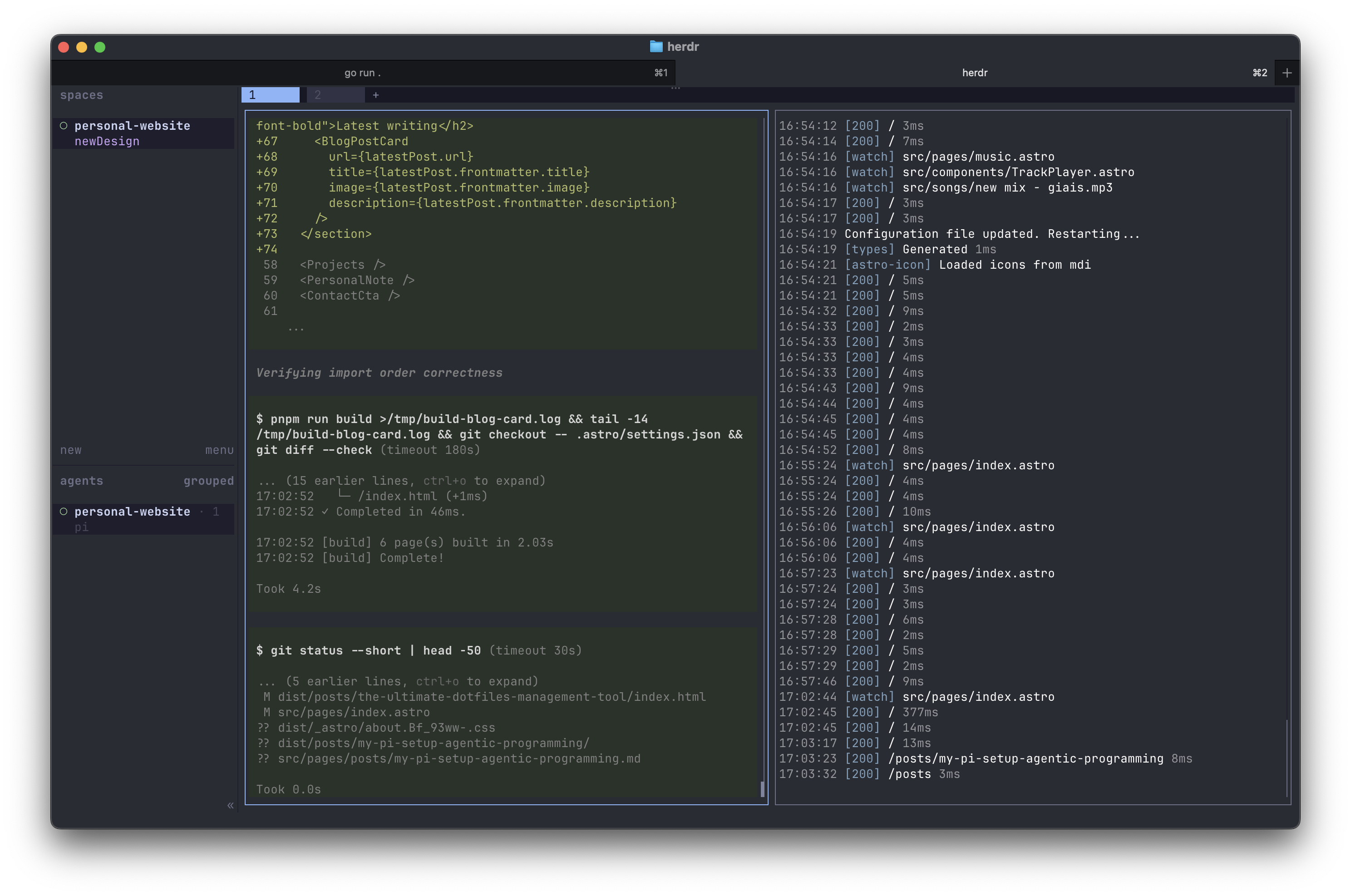
Pi is the agent, but the terminal is where the workflow lives. I use Ghostty as my terminal emulator. It is fast, has good keyboard protocol support, and works well with Pi’s terminal UI. Ghostty also makes it possible to see inline images in terminals that support the Kitty graphics protocol, which is useful when I ask Pi to inspect screenshots or other visual assets.
I used tmux for persistent terminal sessions, but Herdr has replaced it in my setup. Herdr is built around terminal workspaces for coding agents, and its agents view makes the important difference: I can see which agents are running and where they are working instead of manually keeping track of a collection of panes.
# Start or attach to my persistent workspace
herdr

# Use a named workspace when I want one for a project
herdr --session personal-website
This separation is useful for me:
- Ghostty is the terminal I interact with.
- Herdr manages persistent workspaces and agent sessions.
- Pi reads, changes, and verifies the code.
- Git records the decisions that are worth keeping.
I do not run agents just because I can. I use separate workspaces when a task benefits from isolation, not as a replacement for understanding the repository.
Git is the source of truth
I always treat Git as the source of truth for a project. Pi can inspect files, make changes, and run commands, but the repository history is what tells me what actually changed and what is worth keeping.
I use Lazygit for this workflow. Before and after an agent makes changes, I review the working tree and diff there. When the result is correct, I commit it with a clear message and push it to the remote. If it is not correct, I can discard the change or return to a known-good commit.
This keeps the agent’s conversation from becoming the source of truth. The conversation is useful context; Git is the record.
The real advantage
The advantage of agentic programming is not that I type fewer characters. It is that I can move between understanding, implementation, and verification faster.
Pi gives me a focused terminal interface. Git gives me checkpoints. Tests and browser checks give me feedback. Human judgment decides what is worth keeping.
That combination is what makes the workflow successful for me: the agent has enough autonomy to be useful, but never enough authority to replace engineering judgment.